
PIXELWritten guides
Update AxeOS step by step
AxeOS is the software that runs your Bitaxe and the interface you open in the browser. Updates bring stability, new settings and sometimes a bit of hashrate. Here is how to install them without stress.
Published 24 September 2026 · by Pixel
VideoThe topic on video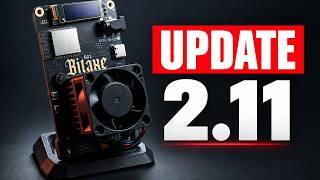 The Bitaxe update that changes the interface (AxeOS 2.11)On YouTube, in French with subtitles
1. Before you start
- Write down your settings: pool, port, user, Wi-Fi. They are normally kept, but you never know.
- Read the release notes: they say what changes, and whether anything special is needed.
- Use the files for your machine. Bitaxes run AxeOS (the ESP-Miner project); NerdQAxes have their own version of the software, on their project page.
2. The steps
- Open AxeOS by typing the machine’s IP address in the browser.
- Go to the update section (Update, in settings or the system menu depending on the version). Recent versions show the latest available version directly.
- Get the two files if the interface does not do it for you: the firmware (
esp-miner.bin) and the interface (www.bin), from the project’s releases page. - Upload them from the update page, in the order given in the release notes, and wait for each upload to finish.
- Let the machine restart, then check the version number, your pool settings and that the hashrate comes back.
3. Golden rules
- Never cut the power during the upload or the restart.
- Move the machine closer to the router if your Wi-Fi is weak: a drop mid-upload makes the update fail.
- No need to jump on every release: if everything runs well, waiting a few days for community feedback is a good habit.
4. If the update fails
No panic: in most cases, simply upload again. If the machine no longer starts at all, the software can be reinstalled over USB from a computer, with the Bitaxe project’s online flashing tool (search for “Bitaxe Web Flasher”). For anything stuck, Discord is there.
What version 2.10 changed: my Bitaxe 2.10.0 video (in French). For the first setup: Set up a Bitaxe, step by step.
Other guides
- Set up a Bitaxe, step by stepFrom unboxing to the first share sent to the pool.
- Solo mining on FindMyBlockUnderstand solo mining, set up your machine and follow your odds.
- Which miner for home mining?Hashrate, electricity, noise: the criteria that really matter.
- How much does a Bitaxe earn?The honest math: average earnings, electricity and jackpot odds.